
5 Coin slot board (ESP32)
The small ESP32 board tells the router each time a coin is inserted. All money and time rules stay on the router.
Parts
- ESP32 30 or 38 pins
- Allan Universal coin slot
- Buck converter
- 12V 5A power supply
Program the board
- Download and install AIO Manager (see Download page).
LazyFi ESP8266 Bin filedownload orLazyFi ESP32 Bin filedownload.- After upload, open serial monitor at speed 115200 to see status messages.
Connect board to your pisowifi
- Power the board. It creates a temporary wifi name like LZDV-ESP-XXXX (no password).
- On your phone, join that wifi and open http://192.168.4.1/
- For a single main coin slot: choose Main vendo, then Save.
- For extra coin slots in another area: choose Sub vendo, pick that area wifi, enter password, Save.
To run setup again: hold the BOOT button about 5 seconds, or leave the board off wifi for about 3 minutes.
Link board in dashboard
- Open http://10.0.0.1/admin/ and go to Sub vendo or the dashboard ESP section.
- Wait until your board appears online (name starts with esp-).
- Click Bind on slot 0 for the main coin slot (or slot 1 to 3 for extra locations).
- After binding, only that physical board can send coins for that slot.
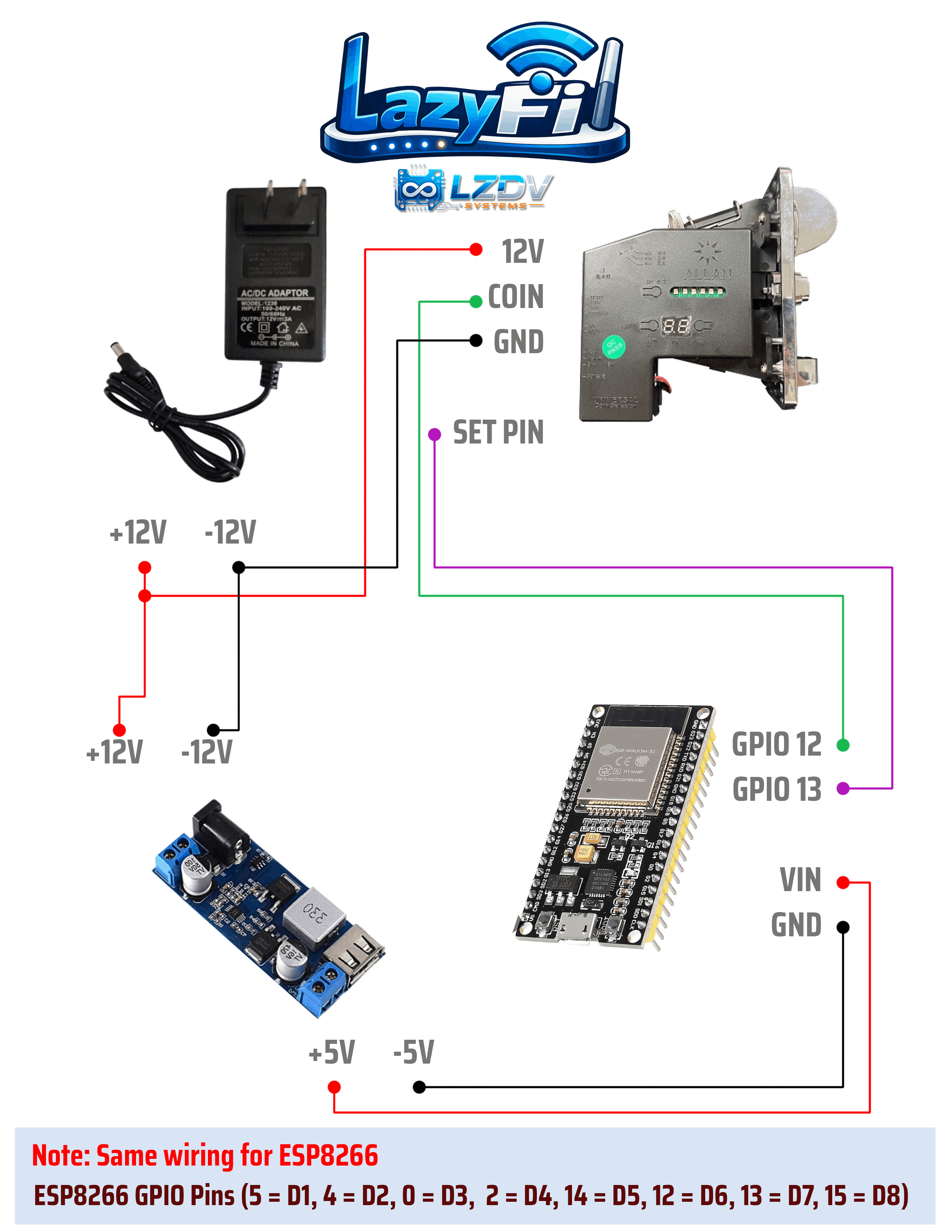
Wire the coin acceptor (default pins)
| ESP32 | Connect to |
|---|---|
| Pin 12 | Coin pulse wire from acceptor |
| Pin 13 | Relay signal (if you use a relay) |
| GND | Shared ground with coin acceptor |
You can modify GPIO Pins if you are using Custom Boards in the Admin -> Pin settings & Sub vendo